The Concat video editor turns a typed script into a voiceover on your own computer. It offers four downloadable voice models, from the 98 MB Pocket TTS to the 1124 MB Chatterbox Turbo. None of them needs an account or a connection once installed. Pocket TTS can also read your script in a cloned voice.
How do you make a voiceover with text to speech in the Concat video editor?
- Open Settings, go to Speech and download Kokoro (compact). On 0.2.7, download Pocket TTS (cloning) too. The limits section explains why.
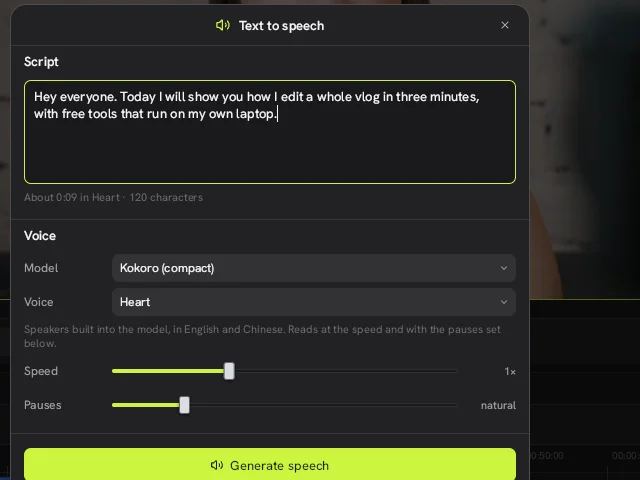
- Click the speaker button (tooltip Speech) on the timeline toolbar to open Text to speech, then type or paste your text into Script. Under the box Concat shows an estimated length and a character count.
- Under Voice, set Model and pick a speaker in Voice. Heart is one of the Kokoro speakers.
- Move the Speed and Pauses sliders if the default read feels too fast or too flat.
- Click Generate speech.
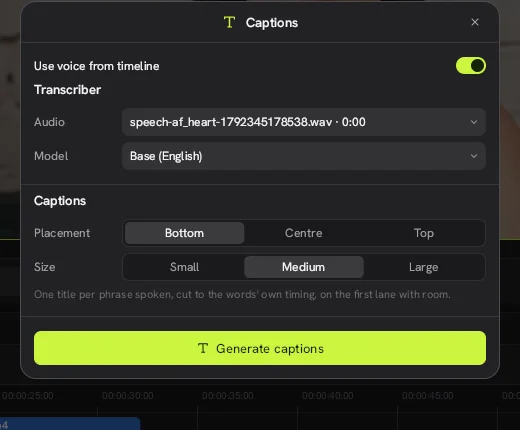
The result is a .wav file. It shows up in the Media panel under Generated and then Speech, ready to sit on the timeline next to your footage. From there you can run auto captions on it, which is how we built the captioned clip on this site.
Which voice model should you download?
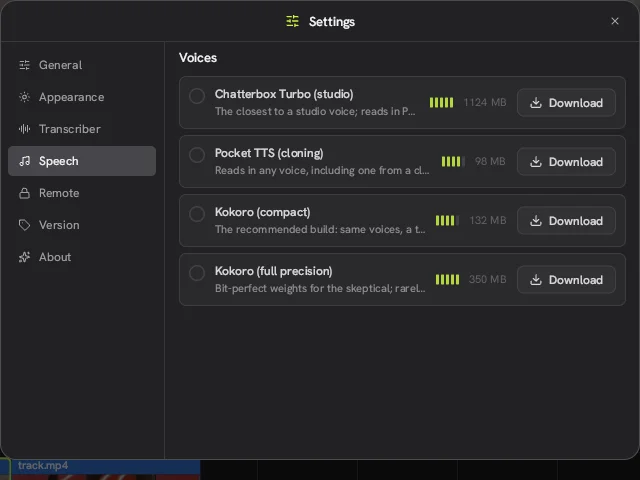
Kokoro (compact) is the one the Concat video editor itself recommends. At 132 MB it fits on any laptop. Here is the full list from the Speech settings page in 0.2.7.
| Model | Size | What it is for |
|---|---|---|
| Kokoro (compact) | 132 MB | Recommended. Built-in English and Chinese speakers |
| Kokoro (full precision) | 350 MB | The same voices with full weights |
| Pocket TTS (cloning) | 98 MB | Reads in any voice, including one cloned from a short sample |
| Chatterbox Turbo (studio) | 1124 MB | The closest to a studio voice |
How does voice cloning work with Pocket TTS?
Pocket TTS is the model to pick when the voiceover has to sound like a specific person. According to the README in the Concat GitHub repo, a few seconds of a recording is enough to clone a voice. A clean sample with no music or room noise under it will give the model the best chance.
Here is the flow we used in Concat 0.2.7:
- Import a clip with a voice in it. Without one, the switch shows “Import a clip with a voice in it first”.
- Open Text to speech and set Model to Pocket TTS (cloning). Its stock voice is called Bria, and a Quality row offers Quick, Balanced and Fine.
- Turn on Use sample voice. A Sample menu appears with a waveform of the clip, plus a Voice from slider that sets where in the clip the voice starts.
- Type the script and click Generate speech.
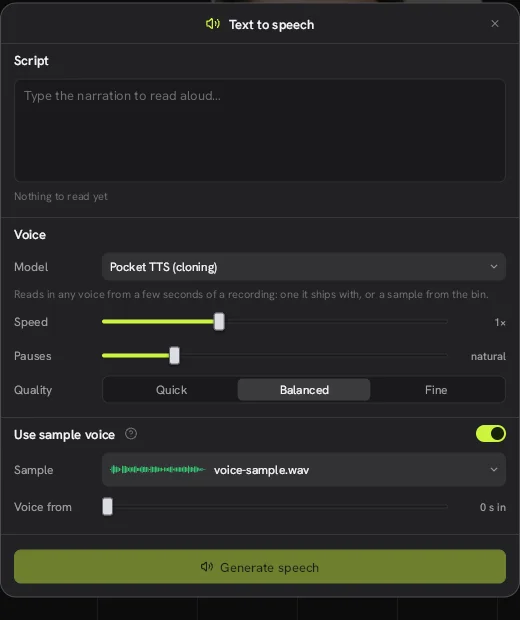
From a 7.3-second sample, Concat wrote a new voiceover in about 3 seconds on our CPU-only test machine and placed it on the timeline. The log confirmed it read 7.3 seconds of sound from the sample. We used a synthetic voice as the sample, so we can't judge how close a clone of a real person sounds. Keep it to your own voice or one you have clear permission to use.
The app's own help text adds two details. Chatterbox has no voice of its own: it borrows Pocket's recordings or your sample, and it reads tags such as [laugh], [chuckle] and [sigh] as the sounds they name. Voices you save with a name stay on your device.
Is Concat a free alternative to CapCut text to speech?
For voiceovers on short videos, yes. The Concat video editor charges nothing for any of its voices and has no credits or usage caps. If you are comparing Concat with CapCut, price is the clear difference: CapCut Pro runs about $19.99 a month in the US after the March 2026 change. With the Concat app the voices are free and the script stays on your machine.
What are the limits?
- A 0.2.7 bug. Text to speech with Kokoro failed for us until Pocket TTS was also downloaded. Download both and it works.
- Language coverage. The Kokoro speakers are English and Chinese.
- Disk space. Chatterbox Turbo alone is over 1 GB.
- We have not timed it. Generation speed will depend on your CPU. We did not measure it.
- Cloning quality depends on the sample. We confirmed the cloning flow works, but we tested it with a synthetic sample, not a real recording.
Watch it in Concat
We recorded this on Concat 0.2.7. Waiting time is sped up; every step is real.
- Choose Pocket TTS in Text to speech
- Turn on Use sample voice and pick a clip
- Type the script and generate the cloned voice