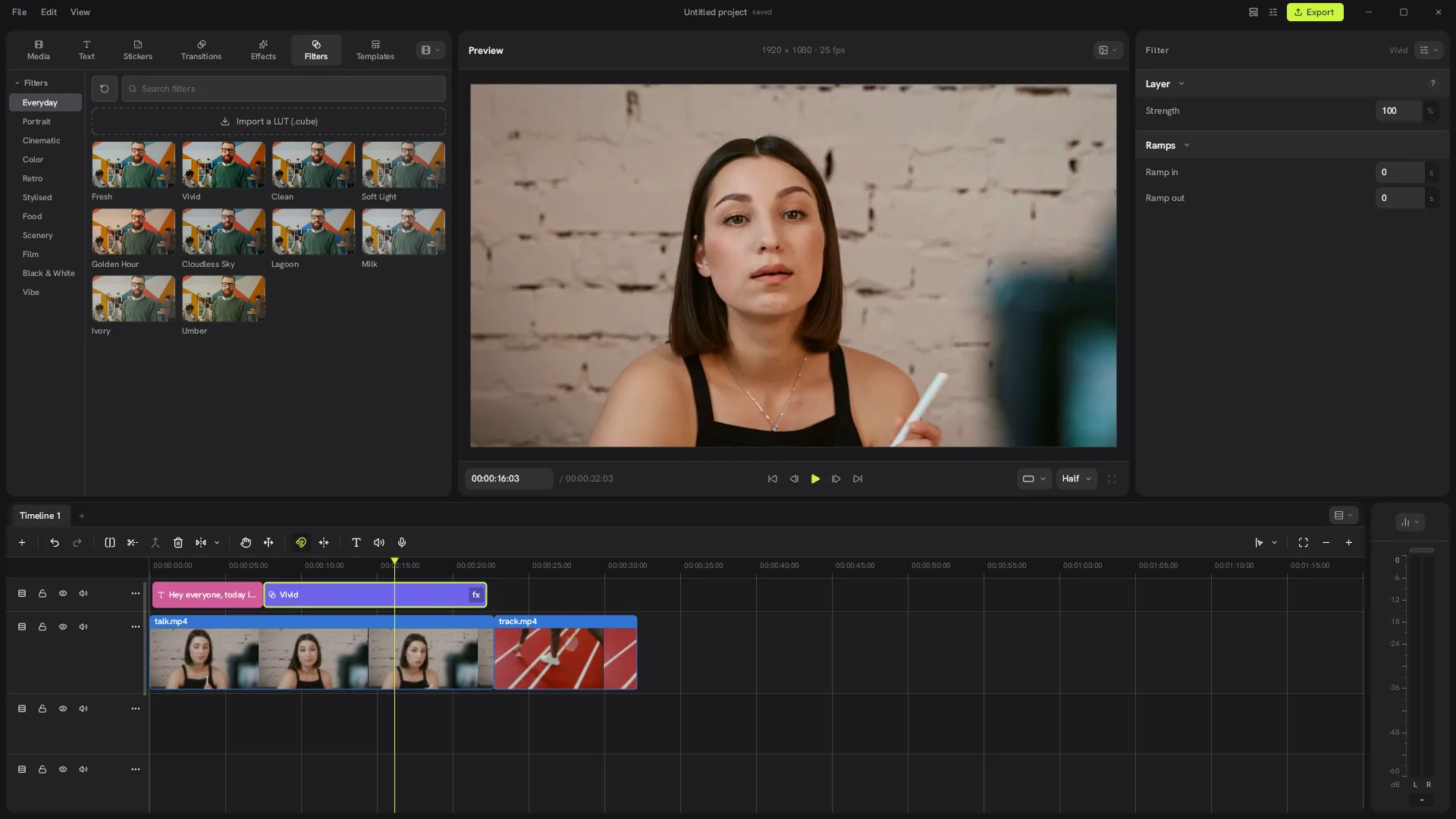
The Concat video editor is a desktop and mobile editor that tries to cover what most people open CapCut for, without the subscription, the watermark or the upload. It is open source, written in Rust, and every AI feature runs on your own device.
Who makes the Concat video editor?
Concat is developed by Jareer, who goes by jub0t on GitHub, together with community contributors. The repository went public on August 25, 2026, under the name Concat after starting life as WolfCut. Within its first two months it passed 8,000 stars on GitHub and shipped seven releases.
This website is not part of that project. concatvideoeditor.com is an independent guide written by users. The official sources are the Concat GitHub repository and the developers' own site at concatenate.pages.dev.
What can the Concat video editor do?
The Concat video editor handles the everyday short-video jobs:
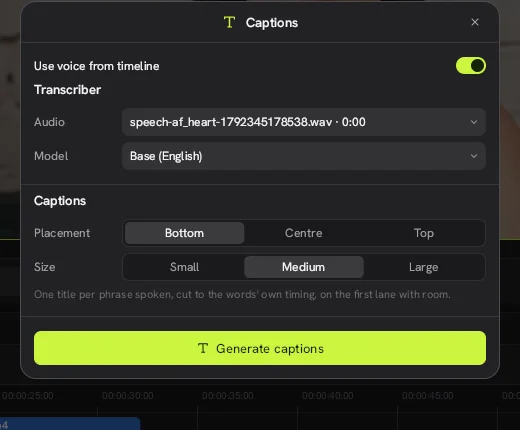
- Auto captions with local Whisper models, or captions timed from a script you type
- Text to speech with built-in voices, plus voice cloning from a short sample
- Background removal without a green screen, along with custom masks and chroma key
- Keyframes for position, scale, rotation, opacity, volume and effect values
- Filters, LUT import, effects and transitions rendered live in the preview
- Voice cleanup that reduces noise, enhances speech and levels loudness
- Export in H.264, HEVC or AV1, up to 4K at 60 fps with 10-bit color
Projects can be 16:9, 9:16, 1:1 or 4:3, which covers YouTube, TikTok, Reels and Shorts. You can change the frame size and frame rate later from the Project sheet. The interface is translated into 25 languages.
How does Concat work?
Concat runs a native Rust engine with a GPU compositor, proxies and hardware decoding. It uses FFmpeg libraries to read and write video. The speech and voice models (Whisper, Kokoro and Pocket TTS) download once from Settings and the small cutout model downloads on first use. After that they run offline.
In our test of Concat 0.2.7 on a Linux machine without a graphics card, the Concat video editor still opened, edited and exported a 1080p video. It was slow, though. A GPU makes a big difference.
Is the Concat video editor free?
Yes. There is no paid plan and nothing is locked. You do not need an account, and exports never carry a watermark. The code is licensed under AGPL-3.0-or-later and the project lists paid sponsors on GitHub.
The license does not cover the Concat name and logo. The developers' trademark policy lets anyone write about Concat or share unmodified builds, but asks that modified versions use a different name.
Who is Concat for?
Concat suits people who make talking-head videos, tutorials, vlogs and short social clips and want captions and voiceovers without paying or uploading footage. Linux users get a modern editor in the CapCut style, which is rare on that platform. People who rely on large template libraries or a polished, signed app may still prefer CapCut for now.
What are the limits of the Concat video editor?
- It is beta software. The 0.2.7 release notes list known bugs, including an export stall on Windows with blur or glow effects.
- Installers are not code-signed, so Windows and macOS show warnings.
- There is no built-in template library. You save your own templates.
- The iPhone version has to be sideloaded and the Android version is an .apk.
How do you get Concat?
Download it from the official Concat GitHub releases. Our download page lists every file with install steps for Windows, Mac, Linux, Android and iPhone.